
Filmeo
Filmeo is a location-based, photo-based scavenger hunt. This is a project done for my Interaction Design 2 class. For the Fall 2022 semester the project prompt for the semester was a mobile UI based on location.
Project Statement
UX Design
Figma, Illustrator, After Effects, Premiere Pro
Programs Used
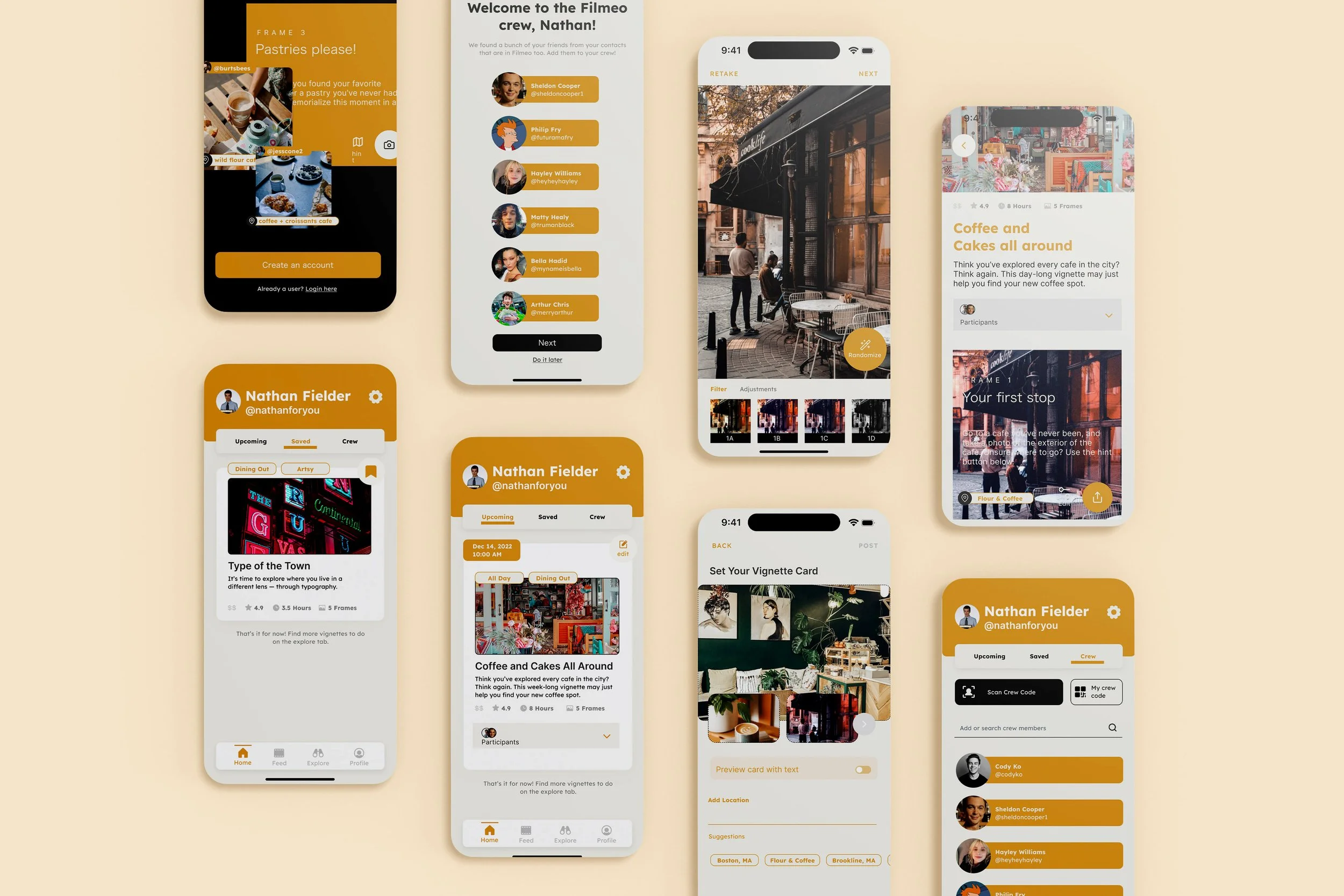
Selected screens from the application.
Filmeo is inspired by the story of the Montserrat typeface. Type artist Julieta Ulanovsky went around the town of Montserrat to find inspiration for the typeface. She looked at the organic, hand-drawn signs and incorporated it to what became the Montserrat Typeface. The project is also inspired by the idea of ‘Flaneur’ — a French noun referring to a person “strolling around.”
More about Filmeo
Problem
Looking at the world in a different lens
Most photo-sharing apps encourage users to post the highlights of their life. This photo-sharing app encourages resourcefulness and to see the beauty in the little things.
Positioning
Photos first, user second
The emphasis are on the photos created by the user versus the user themself. Filmeo aims to distance the user, and highlight the photos.
Audience
Just for fun
Anyone with an interest in photography or just looking for something to do with or without company
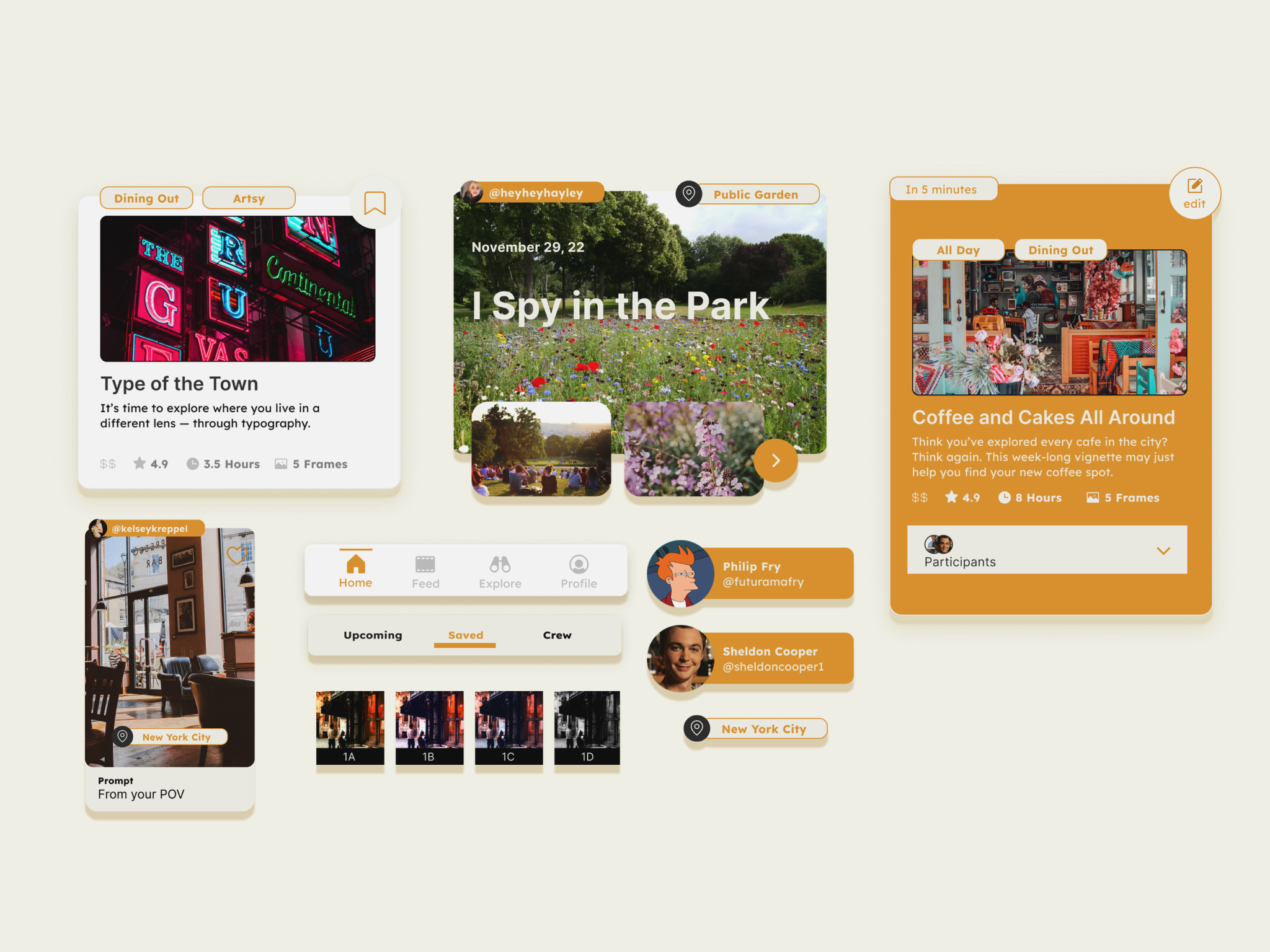
Selected components from the application.
Important Terminology
Filmeo borrows jargon from filmmaking to communicate functions/features of the app. Filmmaking terminology is used since the idea of the app is making mini-snapshots of one’s adventures/life.
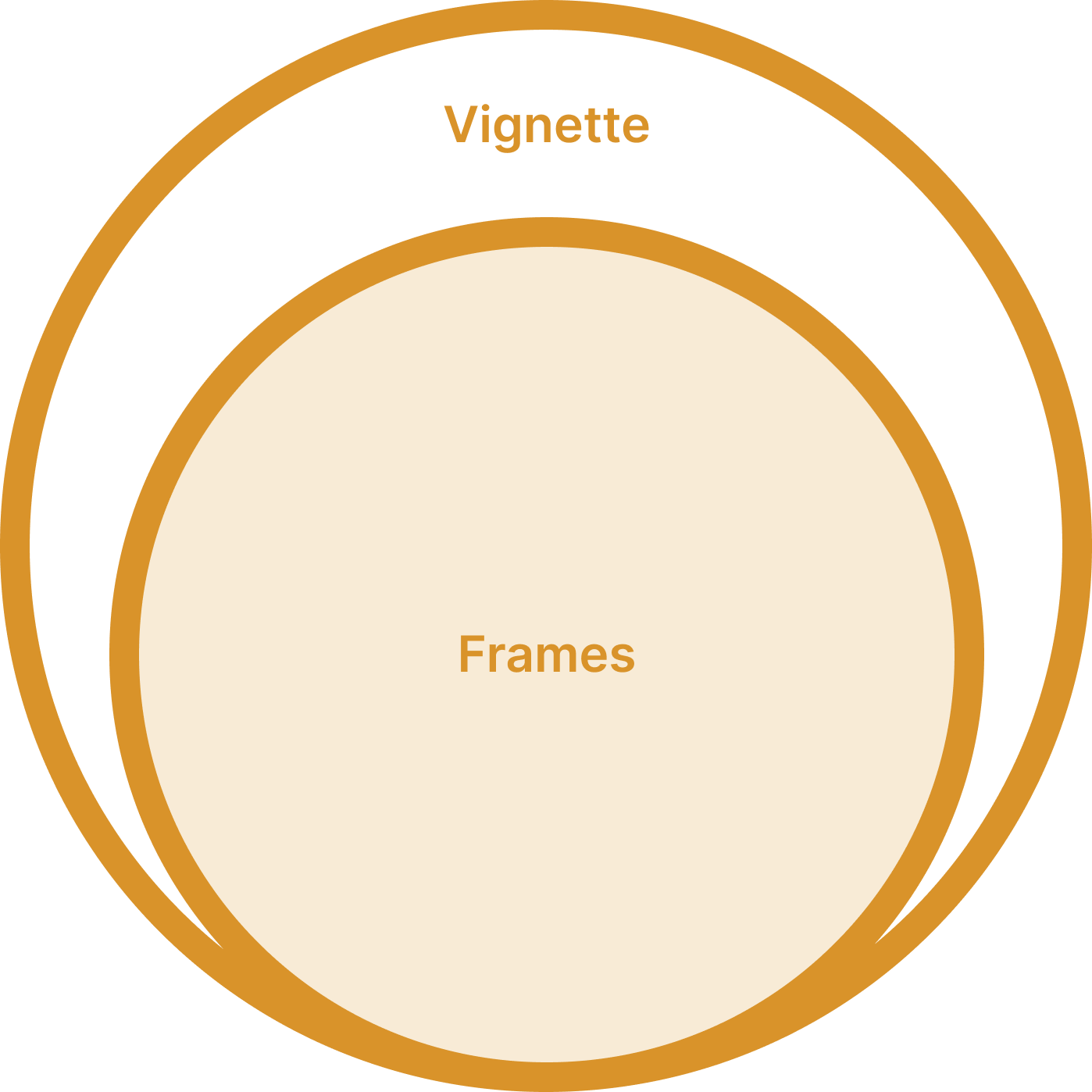
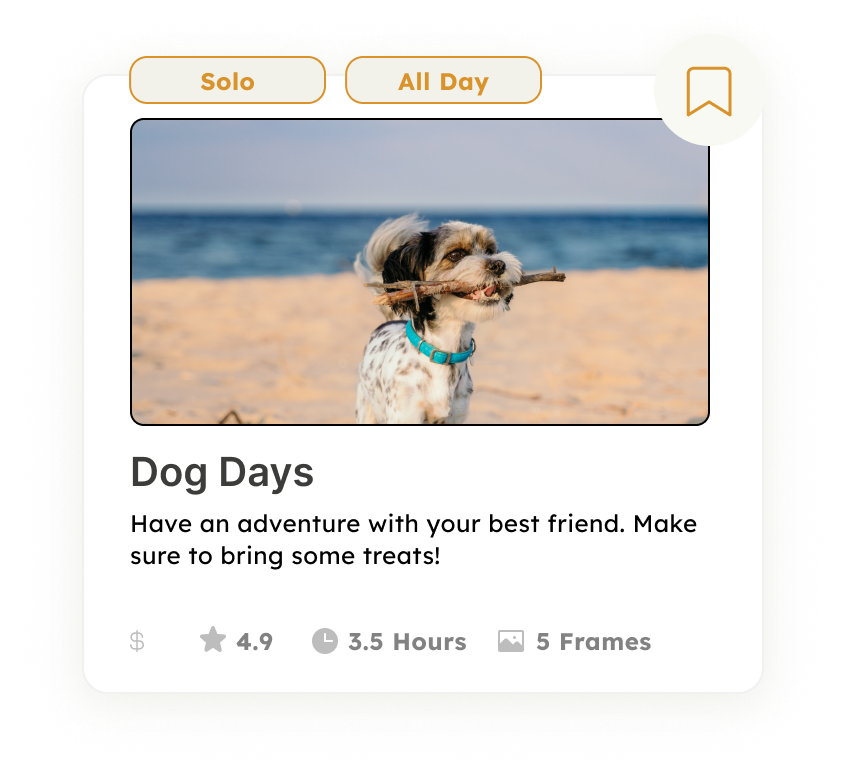
Vignette or in other words, “the challenge.” This is a group of frames that follow a single theme.
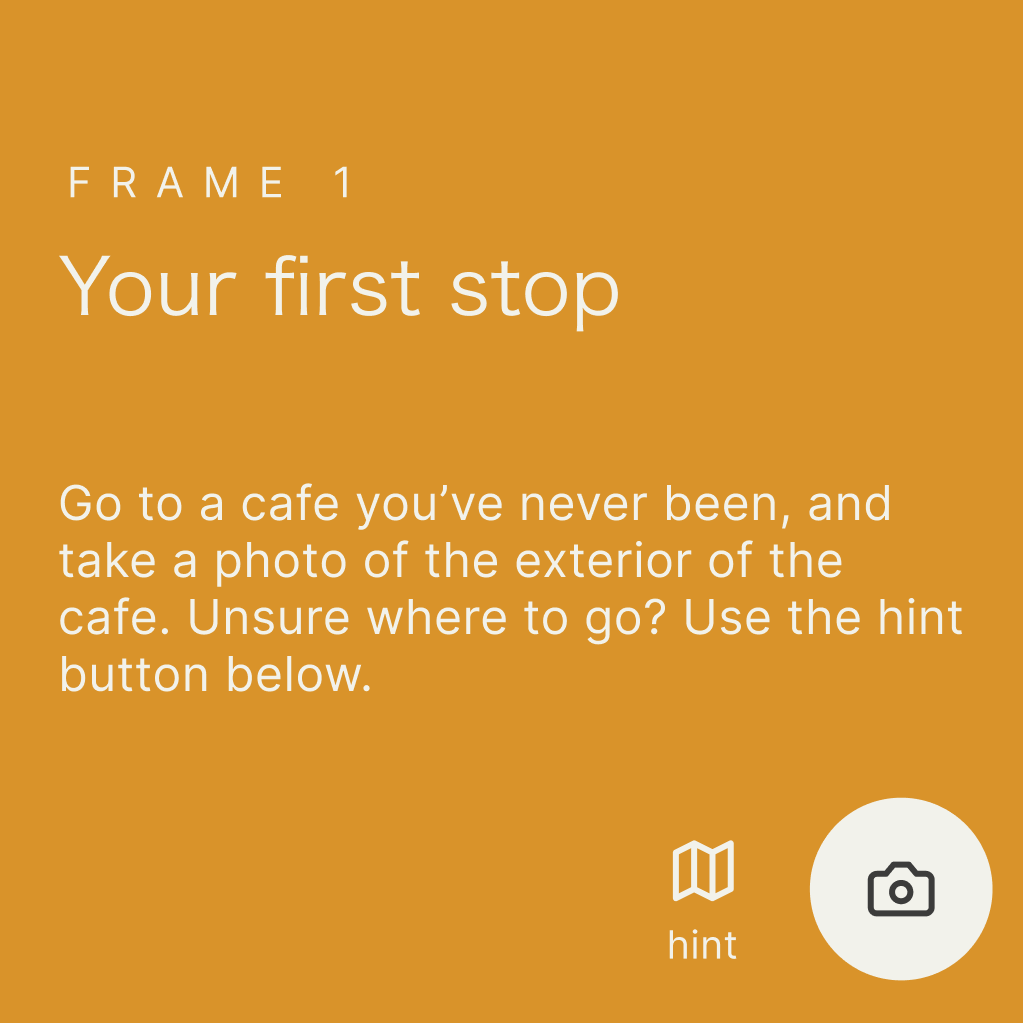
Frame or in other words, “the prompt.” Frames are included in vignette to prompt the user what to take a photo of.
UX Features Highlight
Ability to add friends immediately after signing up via the contacts associated with the user’s phone number.
This feature allows the user to interact with the application immediately through populating their feed with their friends’ vignettes.
Adding friends through a QR code.
Every user comes with their own “crew code.” A play on the term QR code, and in relation to the film-making theme of the app. This makes it easier for users to add their friends on the app.
Sample Workflows
Exploring Filmeo and Scheduling a Vignette.
Nathan explores the app and see different frames that he likes. He then finds a vignette to do with his friends. He finds “Type of the Town” interesting, so he saves it for the future. He settles on doing “Coffee and Cakes All Around,” and invites his friend @sheldoncooper1. To confirm his actions, he can view his scheduled and saved vignettes in his homepage.
Completing a vignette.
Nathan and Sheldon go out and about trying different coffee shops. They begin their scheduled vignette and are given different prompts. Unsure where to go, they press the hint button to guide them on their adventure. Once getting to Flour & Coffee, Nathan completes the prompt, edit’s his photo, and uploads it to the vignette. After quite some time, they finish the vignette, and Nathan is ready to share it to his friends.
Use Cases
Friends that are out of ideas
Tired of thinking of what to do with your friends? Let Filmeo do the planning.
Long distance friends
You don’t have to be in the same location in order to enjoy these challenges
New to town
Filmeo encourages adventure around the area, and will suggest places to go and fun things to do
Design Process Milestones
The following section showcases highlights from my design process that moved the project forward.
The initial idea for the project was for users to upload photos of their handmade artwork (painting/sketches) themed around the area they were in. In a user experience standpoint, this was difficult to implement as it requires a lot of steps in order to interact with the app. After consulting with my professor and peers, they suggested the idea of just taking photos and removing the artwork aspect — since photos are artworks on their own anyways.
Brainstorming
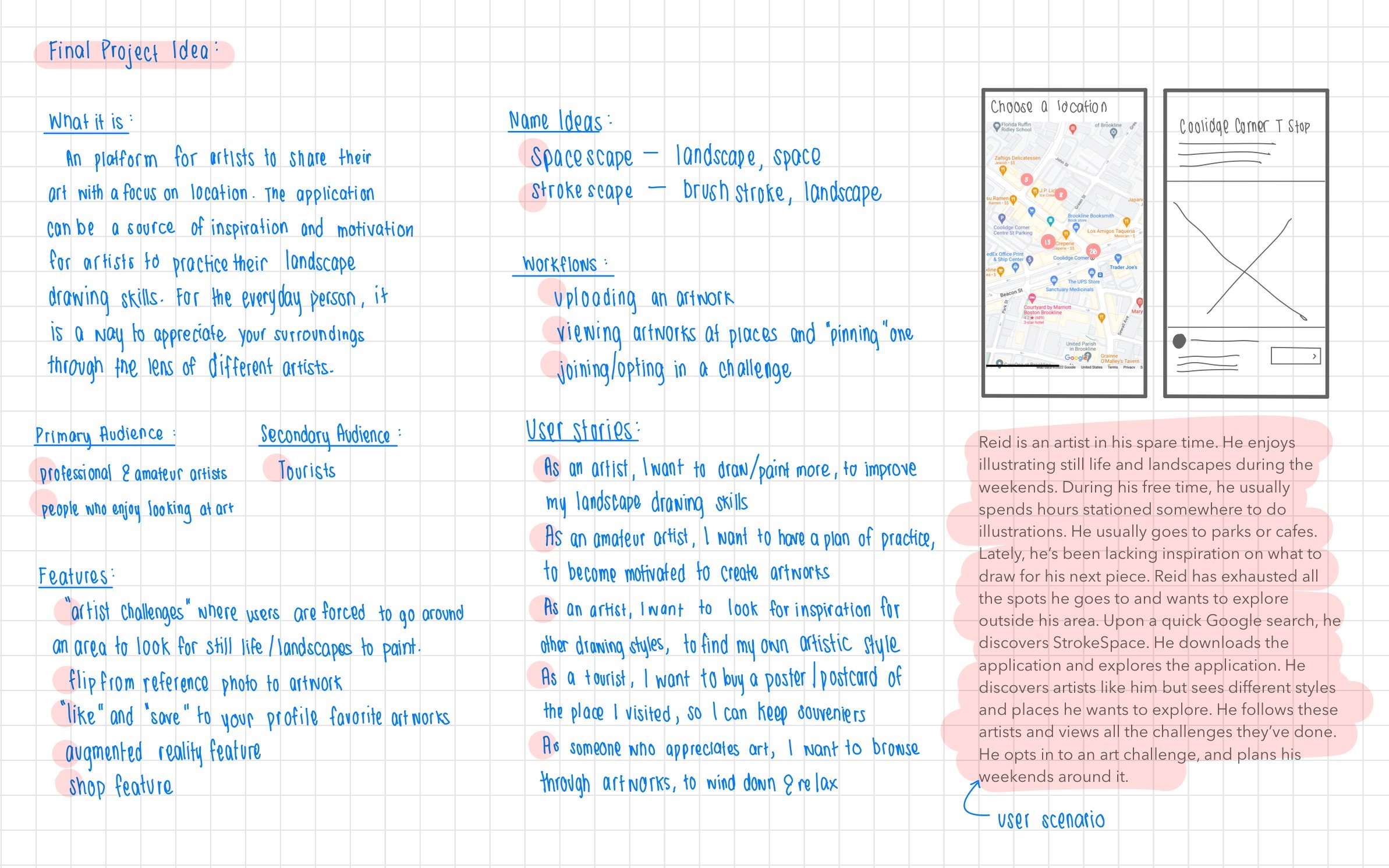
Initial sketches and write up for what was then, a 'Map Museum.' Filmeo follows a lot this initial ideas.
I dialed in my workflow through making a video prototype. This consists of the bare bones of the app in low-fidelity, and making a video of how a person would use the app. This helped me get into the mindset of the user. Through this exercise, I was able to figure out necessary features of the app, also refine my workflow to what makes the most sense.
Video Prototyping
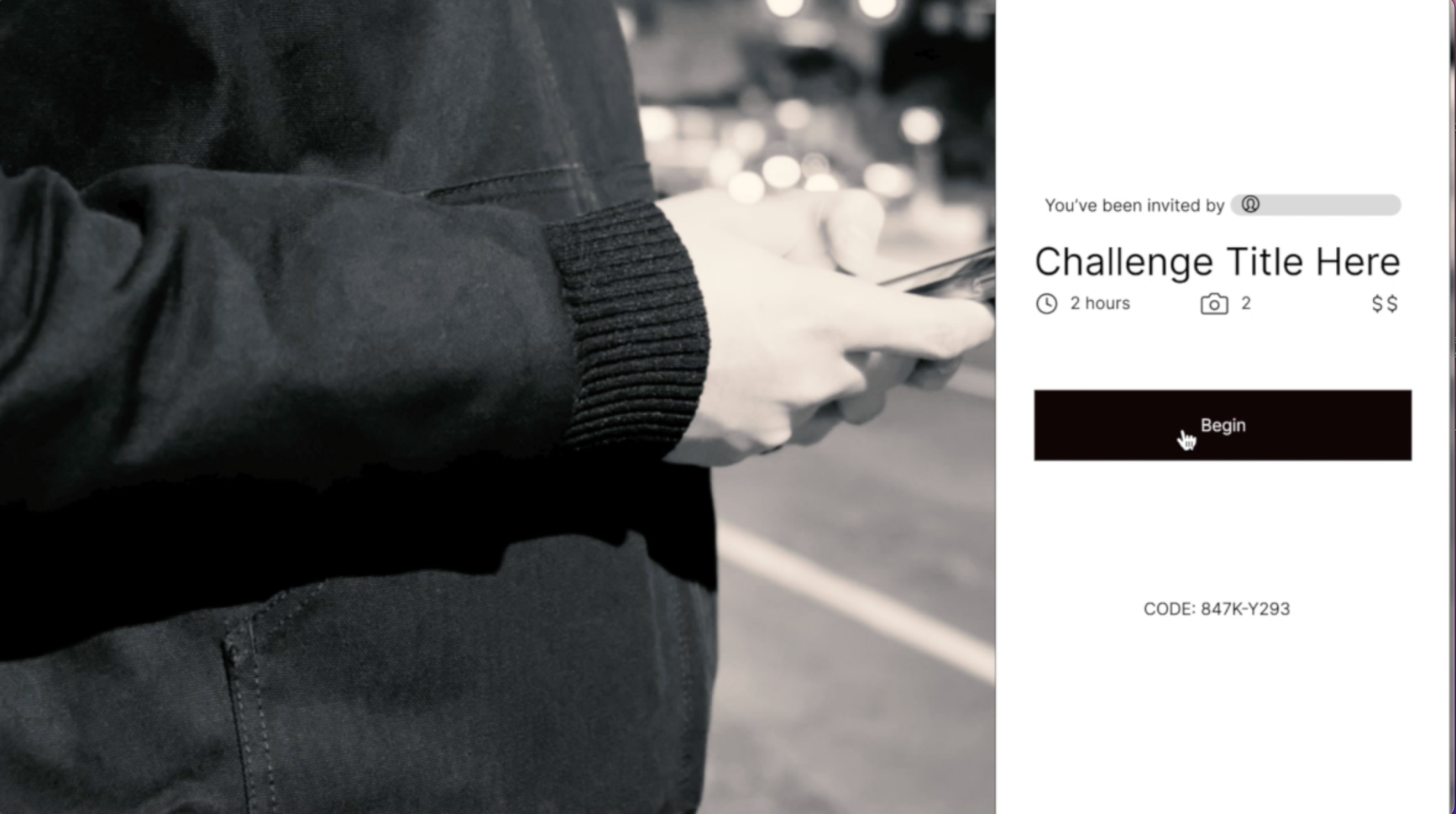
Starting a vignette
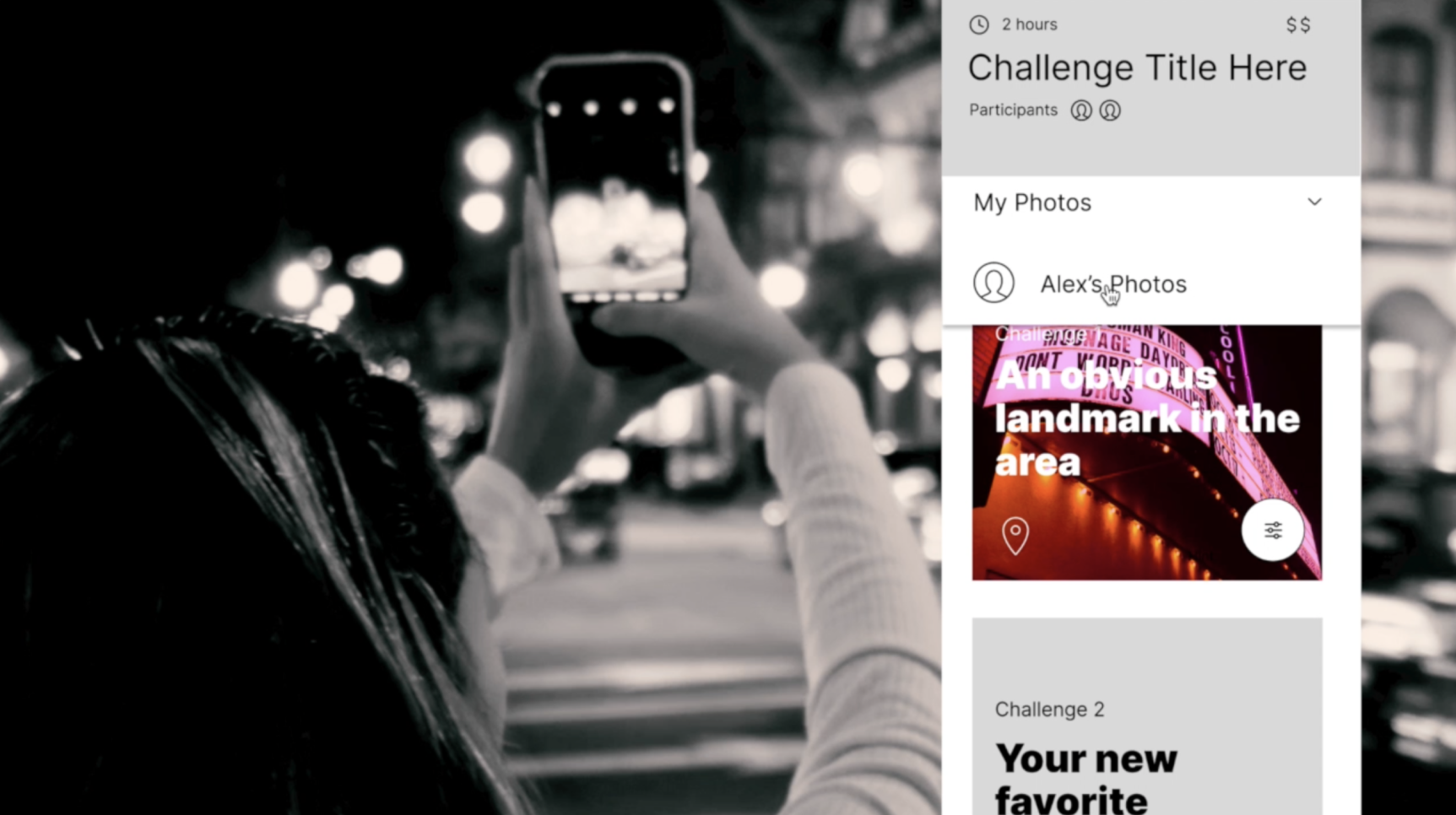
Taking "frames." P.S. That's me!
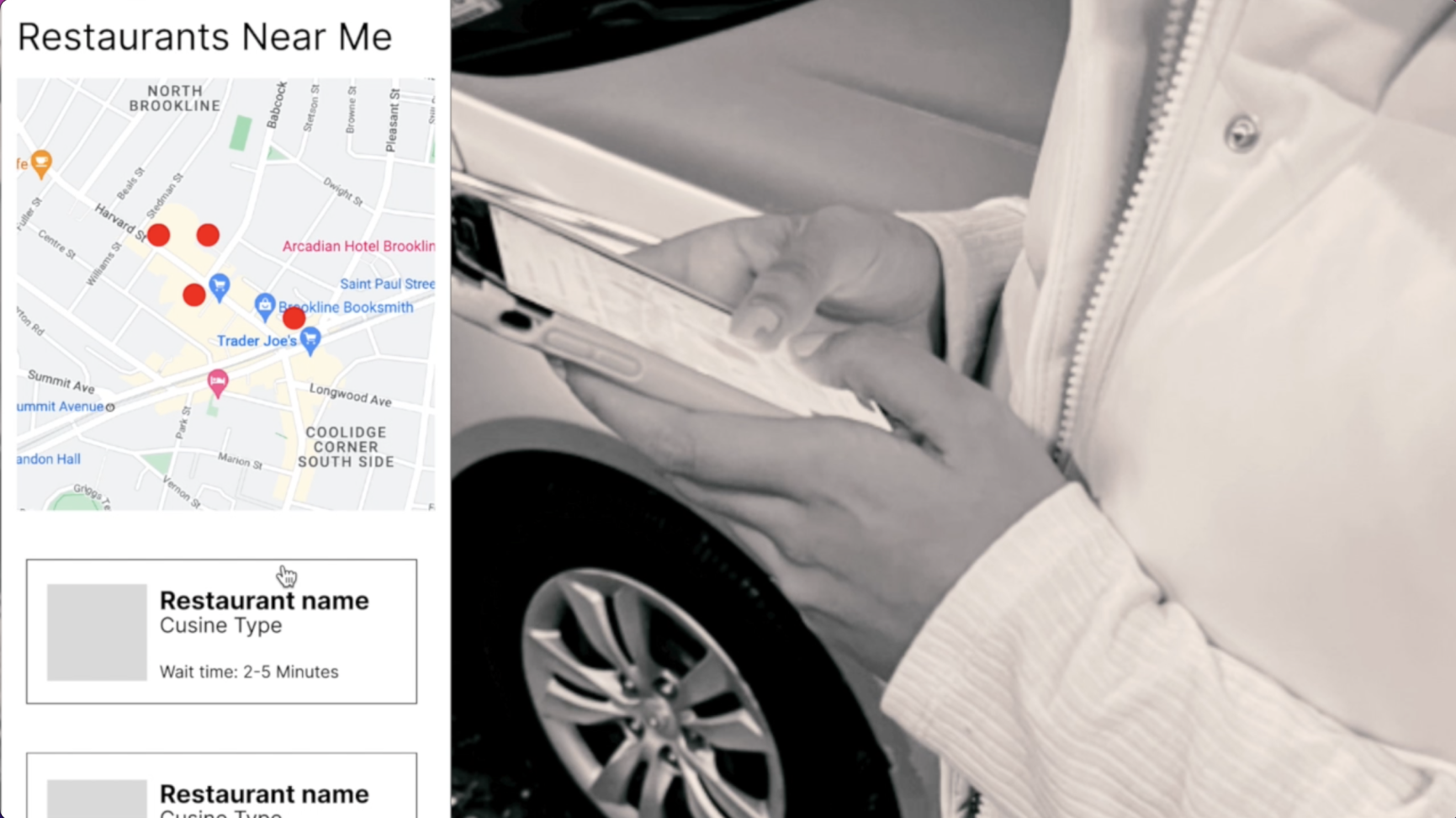
Figuring out the location aspecct.
For this design process, my professor was my participant for the testing. I wrote down tasks for him to do and observed how he navigated with the app. It showed a lot of weakness with my workflow and wording in the app, which in return, helped me refine the user workflow.
Guerrilla Testing with Low-Fidelity Wireframes
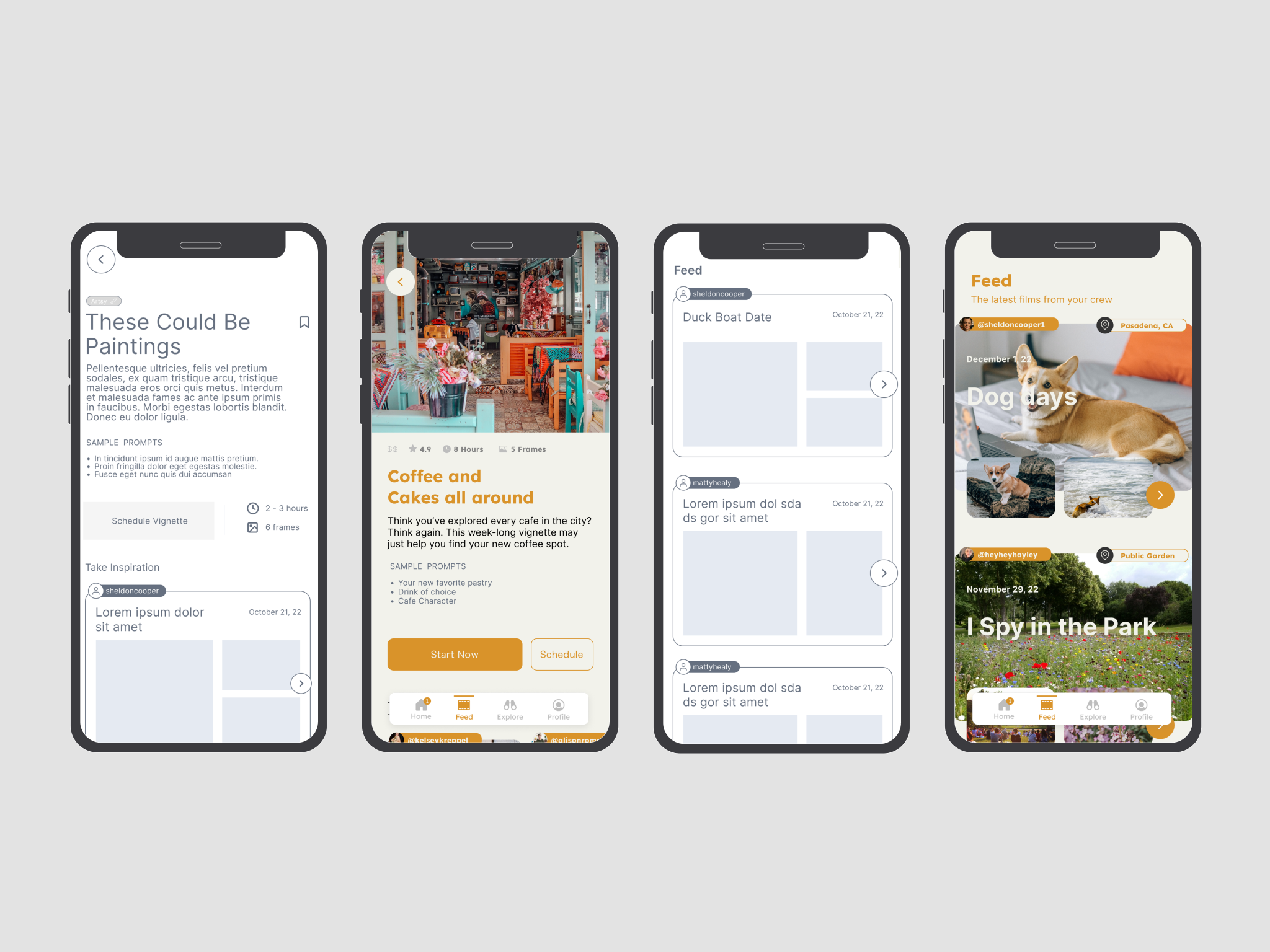
Comparison of low-fidelity wireframes to final wireframes.
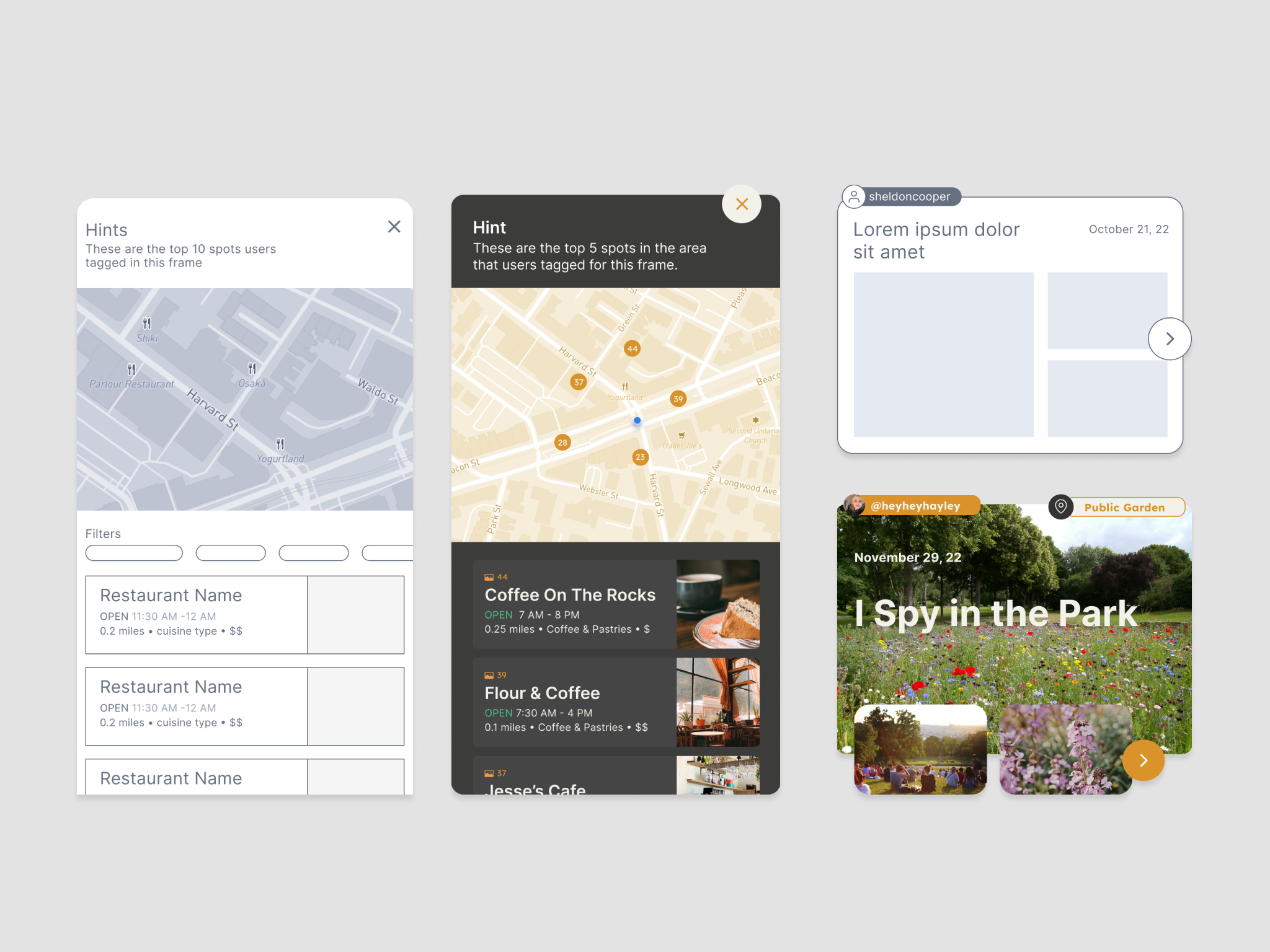
Comparison of low-fidelity components to final components
For this design process, my professor was my participant for the testing. I wrote down tasks for him to do and observed how he navigated with the app. It showed a lot of weakness with my workflow and wording in the app, which in return, helped me refine the user workflow.
Homepage Prototyping
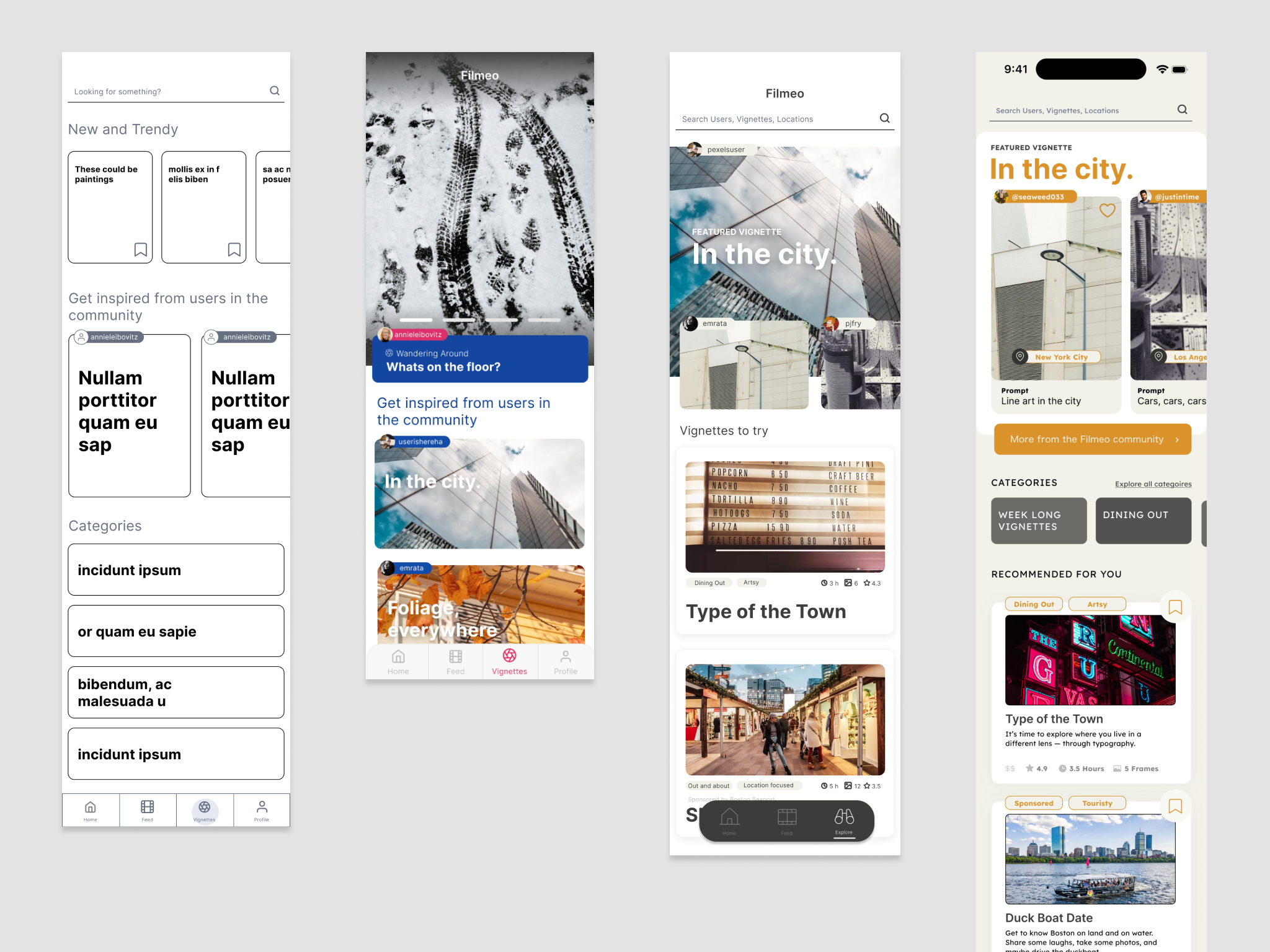
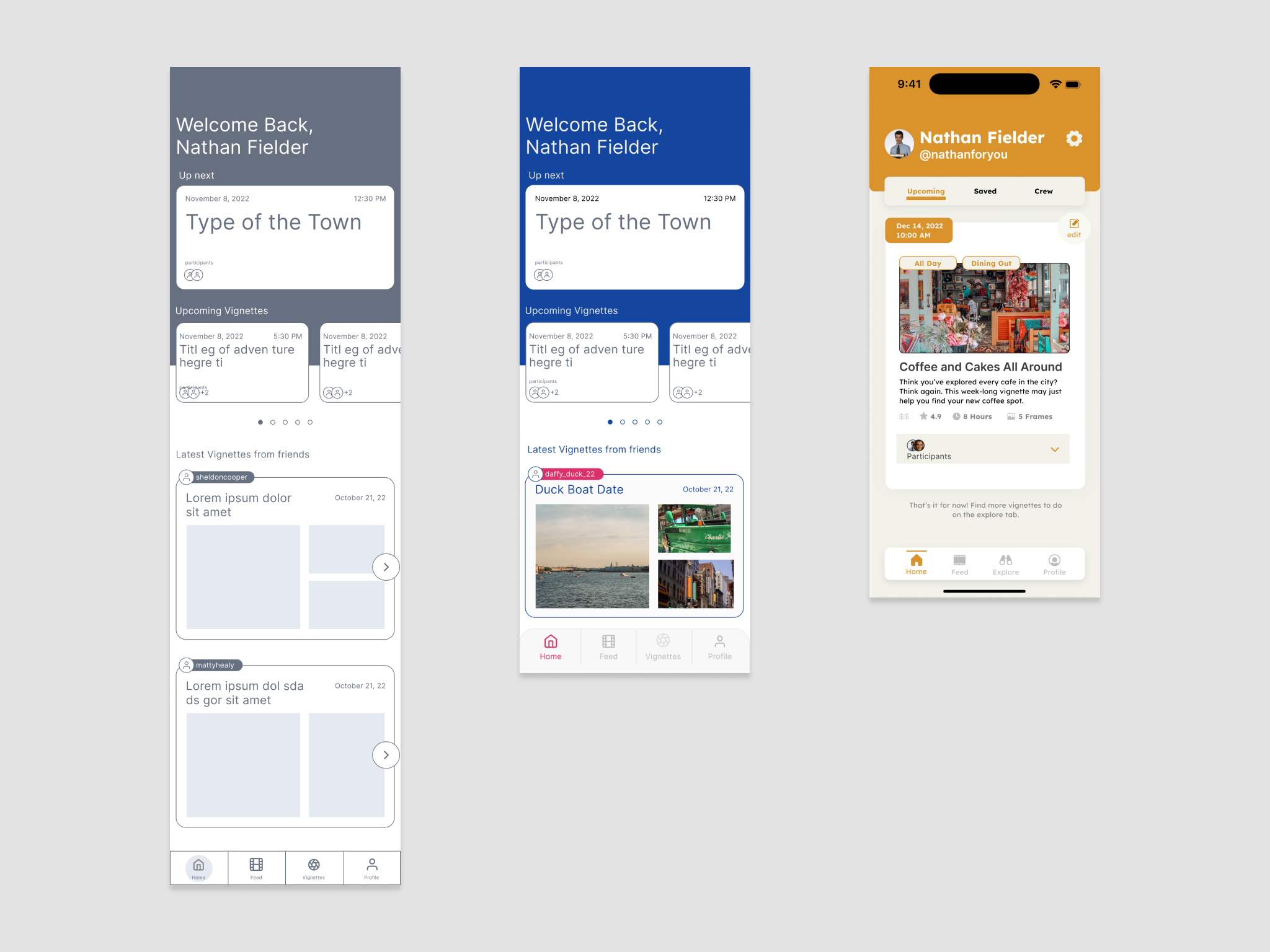
Different versions of Filmeo throughout the process